


W38 – Leaflet | Pick Westvaco | Amsterdam

W38 - Pick: Westvaco Method
AMSTERDAM - Multi-purpose printability tester
Version: 2022-10
Introduction
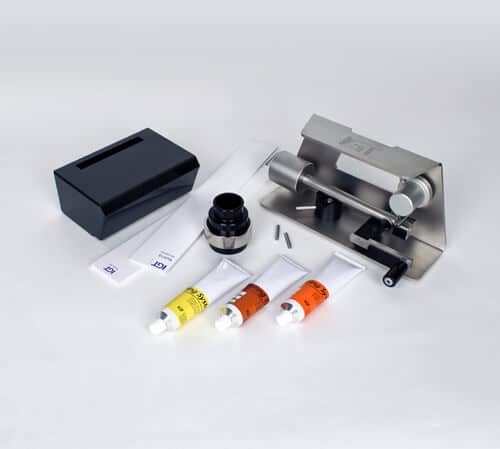
This W38-leaflet describes a pick test with a steel, grooved printing disc, known as pick Westvaco. This method is most commonly used in the USA and can be performed on a dedicated Amsterdam Westvaco with built in doctoring system.
Principle
With inking device the groove of the Westvaco printing disc is filled with pick test oil. A print is made on the paper or paperboard to be tested, at an increasing speed. The first point of damage to the surface is observed and measured. The pick and/or delamination resistance is calculated.

Method of operation
Materials
- [402.320.015.412] Printing disc, 20 mm, groove: depth 15 µm, width 10 mm
- [413.012] Rod Westvaco
- [404.04.010] Pick test oil low viscosity or
- [404.004.020] Pick test oil medium viscosity or
- [404.004.030] Pick test oil high viscosity or
- [404.004.070] Pick test oil extra high viscosity
- [404.001.005] Paper packing 55 mm
- [441.000] Pick Start Viewer and/or
- [441.000.040.190] Delamination viewer V shape
- [441.000.040.280] Delamination viewer U shape
- [413.060.710] Westvaco Inker
- 5 strips of substrate to be tested, dimensions 55 x 340 mm
- ruler
- lint free rags
- ethanol or cleaning naphtha
Testing conditions
Standard test atmosphere according to ISO 187 (23,0 ± 1,0 °C and 50 ± 2% RH).
When using the software analysis license, the actual temperature and RH% need to be entered in the fields [°C] and [RH%] to enable correct calculation of Pick Resistance. These data are also saved with each test performed.
Sample conditioning
Be aware of the fact that a different way of conditioning of the samples can have influence on the results.
Standard settings
AMSTERDAM – multi-purpose printability tester
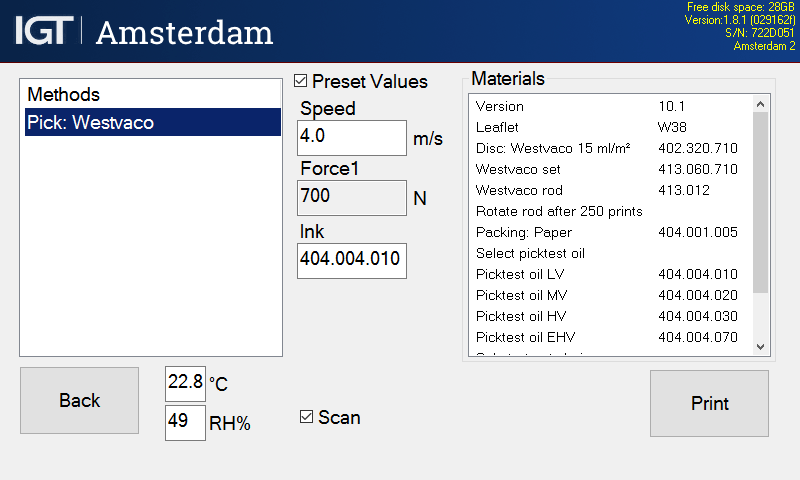
- Printing speed: increasing, end speed at choice.
- Printing force: 700 N.
- Camera lamp low (Not applicable for Amsterdam Basic type)
- Checkbox Scan activated (Not applicable for Amsterdam Basic type)
Preparation
- Cut the paper strips and mark them with top and/or bottom side, machine and/or cross direction and a code for the type of paper.
- Select method Pick Westvaco.
- If desired, touch the checkbox Scan to scan and save (not applicable for Basic type Amsterdam)
- Mount the paper packing on the sector.
Execution
- Mount a strip of paper or board to be tested on the sector of the Amsterdam.
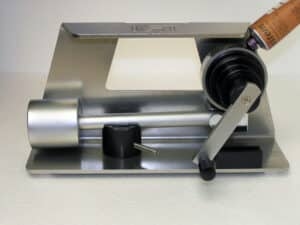
- Place the printing disc on the Westvaco inking device.
- Apply a small amount of pick test oil on top of the Westvaco printing disc.
- Move the rod upwards towards the disc by moving the lever.
- Place the swing over the pin inside the adaptor and rotate clockwise to distribute the oil.
- Place the disc on the first printing shaft of the Amsterdam printability tester.
- Touch the button [Print] and press both side buttons to rotate the sector and the printing shaft into the start position.
- Keep both side buttons pressed to make the print.
- Wait till the camera has scanned the print and release side buttons.

- Before saving, remove the print from the sector.
- Assess the start of delamination in mm with the help of the delamination viewer and a ruler.
- Select the button [Delamination] on the screen of the Amsterdam and enter the distance manually.
- If satisfied, save the results by entering your sample ID in the box <Batch>.
- Before starting a next test, clean the disc and the rod.
- It is recommended to perform the test at least five times per sample.

If the camera was activated
The print is scanned and analysed and the camera moves upward. Save or discard the results.
Start from point 1 for a next test. After finishing all tests, press [Back] and clean and store all parts.
If no scan was made
Take the sample from the sector immediately after printing and check with the pick start viewer.
Mark the first visible damage of the surface. More detailed information is described in the section Assessment.
Cleaning
- Clean the disc and the rod with lint-free rags and cleaning naphtha.
- Make sure the Amsterdam is clean and if necessary dry with some ethanol on a lint free rag.
Assessment
If a scan was made
The results are automatically analysed and shown in the display: pick distance in mm, pick velocity and resistance in m/s.
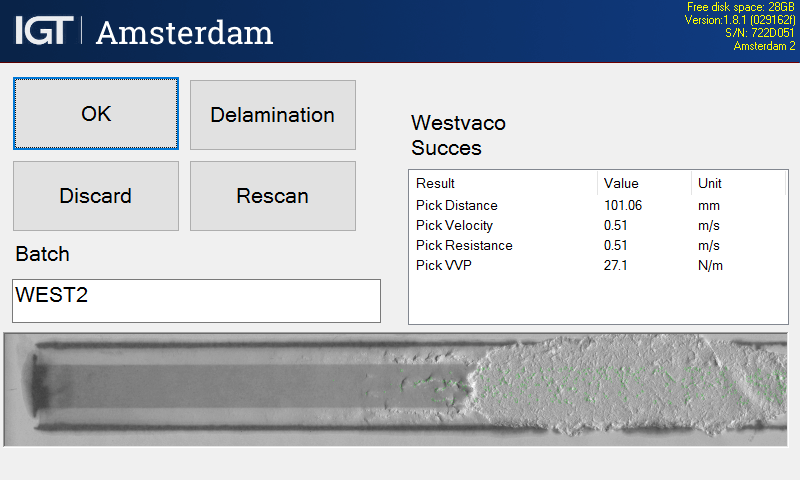
Magnification of the scan via touch screen is possible.
Touch the textbox [Batch] on the left of the display, fill in the information and push [OK] save both data and image push [OK] again.
Afterwards the data and images can be transferred to a USB stick. For the correct procedure please refer to the manual of the Amsterdam.
Data are saved in a CSV format that can be loaded into Excel. Images are saved as PNG files. The data will relate the results to a specific image to enable you to combine both.
If no scan was made
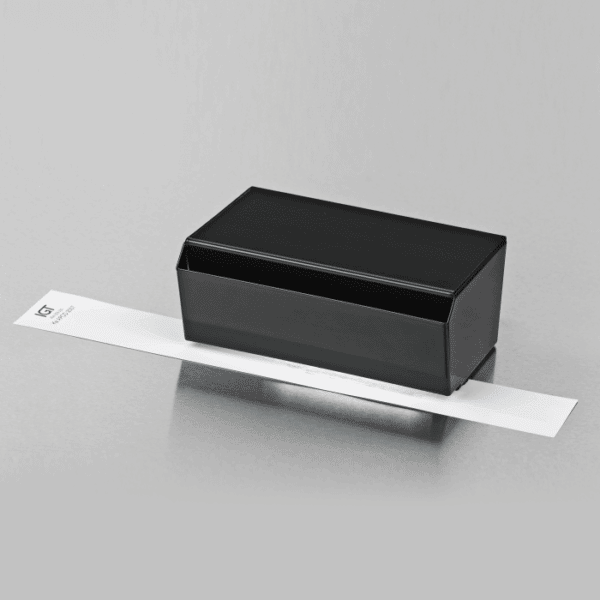
To view the result of picking, place the test strip under the opening of the pick start viewer. Looking from above into the viewer assess the test strip and mark the point where picking begins.
To view the result of delamination, place the test strip in the delamination viewer and by carefully moving the test strip along the U-profile or V-profile check where delamination starts and mark this point.
Measure the pick distance between the starting point of the print (= the centre of the initial print contact line) and the point where picking or delamination begins at the test strip. Make a record in mm.

If desired derive the pick velocity in m/s from the velocity table or with the formula:
For picking: Vp = 0,005 * Ve * dp
For delamination: Vd = 0,005 * Ve * dd
Herein is:
- Vp = velocity at point p (in m/s)
- Vd = velocity at point d (in m/s)
- Ve = set end speed (in m/s)
- dp = distance from beginning of the print to beginning of picking (in mm, ≥50 mm)
- dd = distance from beginning of the print to beginning of delamination (in mm, ≥50 mm)

If desired, calculate the pick or delamination resistance from the Velocity Viscosity Product (VVP) in N/m with the formula:
For picking: P23 = Vp * ɳt / ɳ23
For delamination: D23 = Vd * ɳt / ɳ23
Herein is:
- P23 = Pick resistance at 23 °C in m/s
- D23 = Delamination resistance at 23 °C in m/s
- Vp = Pick velocity in m/s (velocity at the point where picking begins) at the measured temperature
- Vd = Delamination velocity in m/s (velocity at the point where picking begins) at the measured temperature
- ɳt = Viscosity in Pa.s at the measured temperature (see table 1)
- ɳ23 = Viscosity in Pa.s at 23 °C (see table in section “Notes”)
NOTES

Viscosity table: viscosity of pick test oils in Pa.s A single damaging at >20 mm before the point where picking begins, is not the first point of picking or delamination.
- If picking or delamination occurs at <50 mm from the starting point of the print, the test must be repeated at a lower speed. In case the lowest speed has been applied already a change to a lower grade of the pick test oil is necessary.
- If no picking occurs or the picking occurs at >180 mm from the starting point of the print, the test must be repeated at a higher speed. In case the highest speed has been applied already a change to a higher grade of the pick test oil is necessary.
- The viscosity of the pick test oils is temperature dependent. The Velocity Viscosity Product (VVP) may be used to compensate these differences. See Viscosity table.
- Pick test oils have a shelf stock time: <3 years; open time: <1 year.

Randstad 22 - 02
1316 BX Almere
The Netherlands
P.O.box 22022
1302 CA Almere
The Netherlands
